Product

What InstillCore does

InstillCore does not replace your accounting software, it works with it. InstillCore is flexible and multi-faceted, the InstillCore platform comprises of several different modules, each adding functionality to automate your business.

Document Manager

Capture documents by email, the InstillCore phone app or manually upload. Saving documents to InstillCore is simple. Once the document hits InstillCore's Document Manager, that's when the magic starts to happen!

More →

Suppliers & Payments

Supplier invoice details extracted line by line, allows one invoice to be coded to different accounts. Auto process standard suppliers, approver workflow allowing user to query supplier direct from invoice, an app for approving on the move.

Prepayments

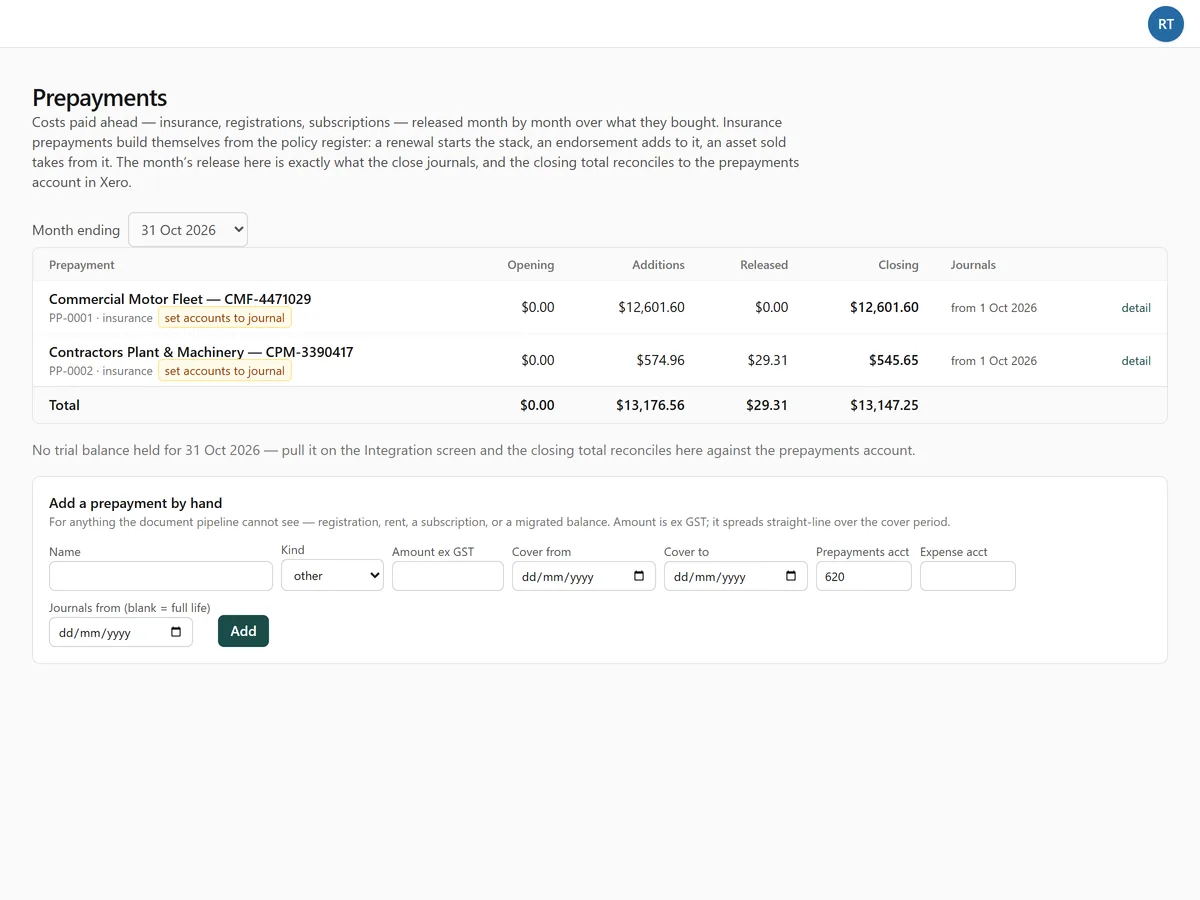
A register with cover periods and a release schedule that reconciles to the ledger every month.

Insurance

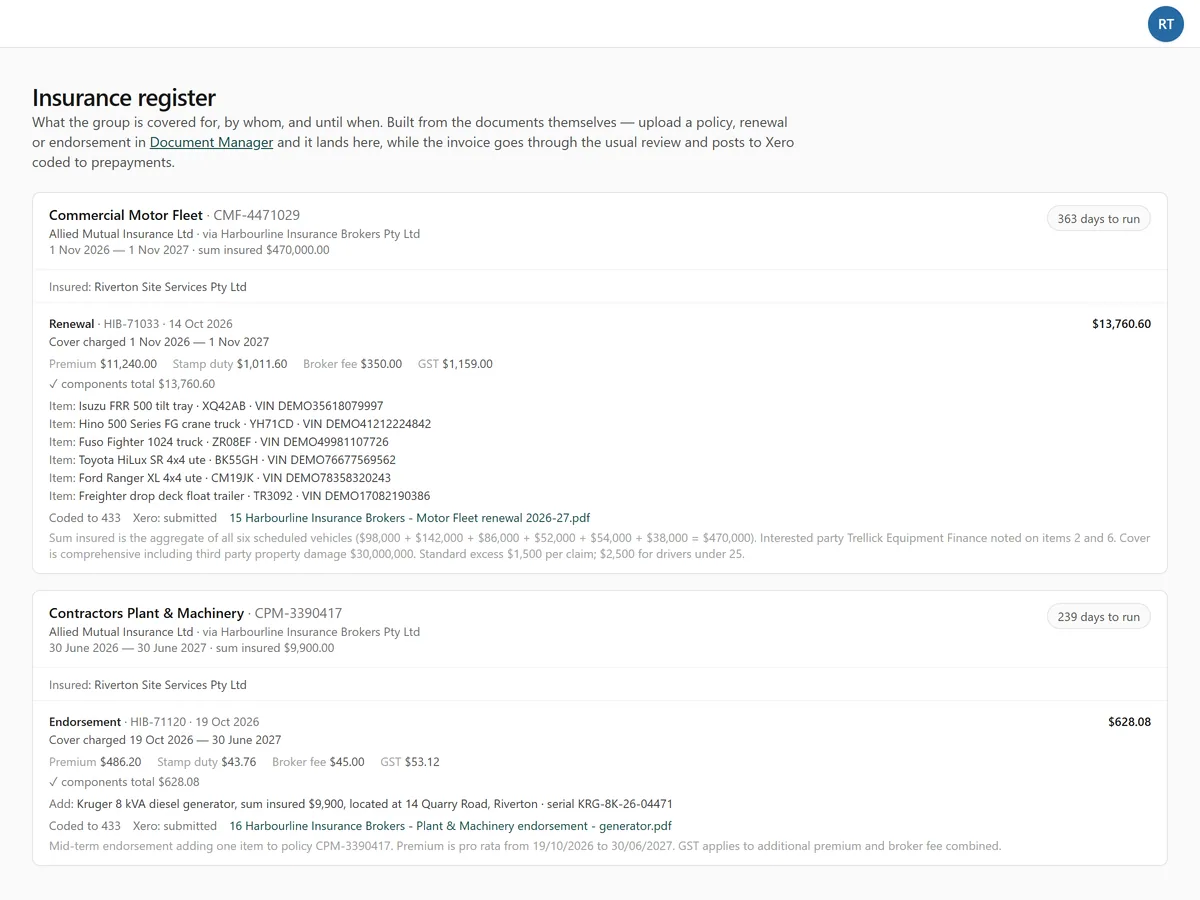
Policies, endorsements and premiums read from the broker's invoices; expiry in view.

Equipment Finance

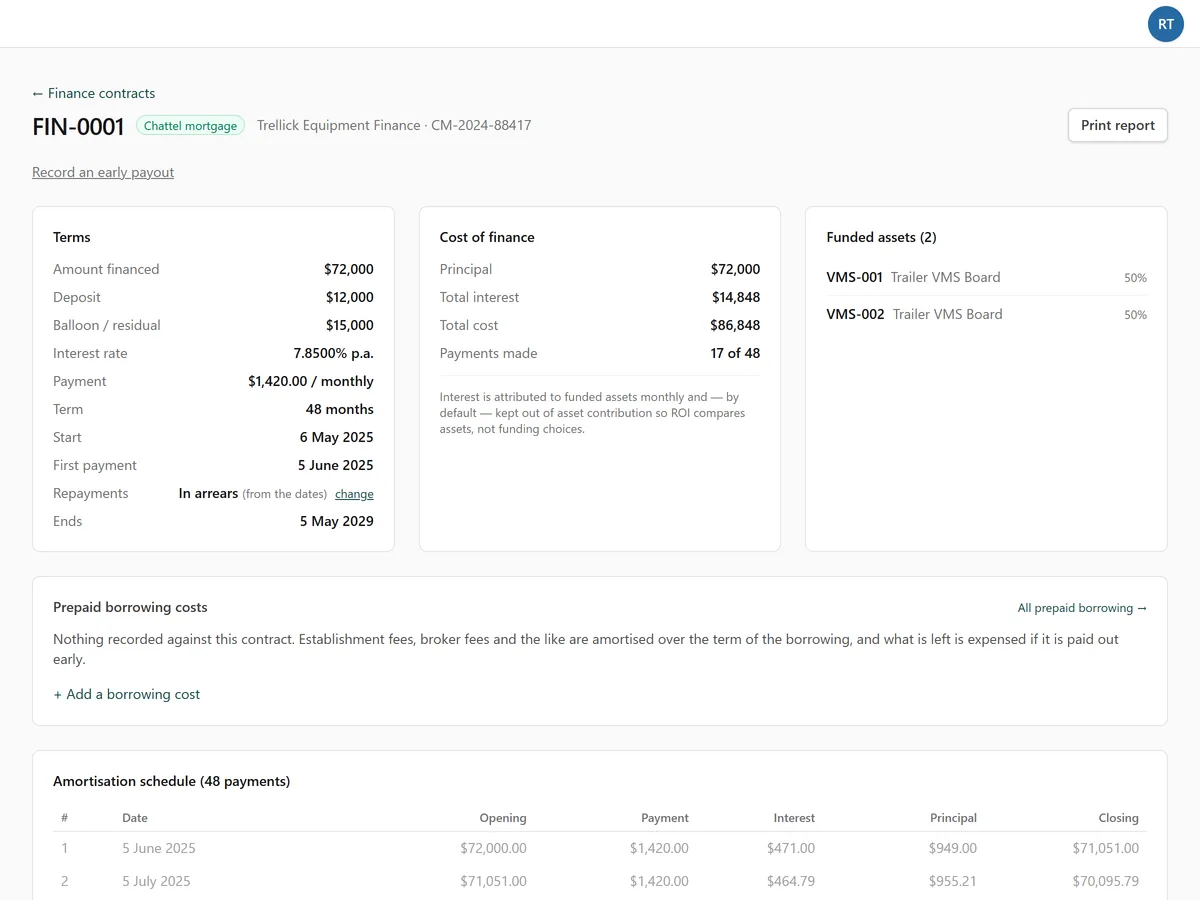
Agreements read from the lender's pack, full amortisation schedules, interest and current/non-current journals, early payouts.

Period End & Workpapers

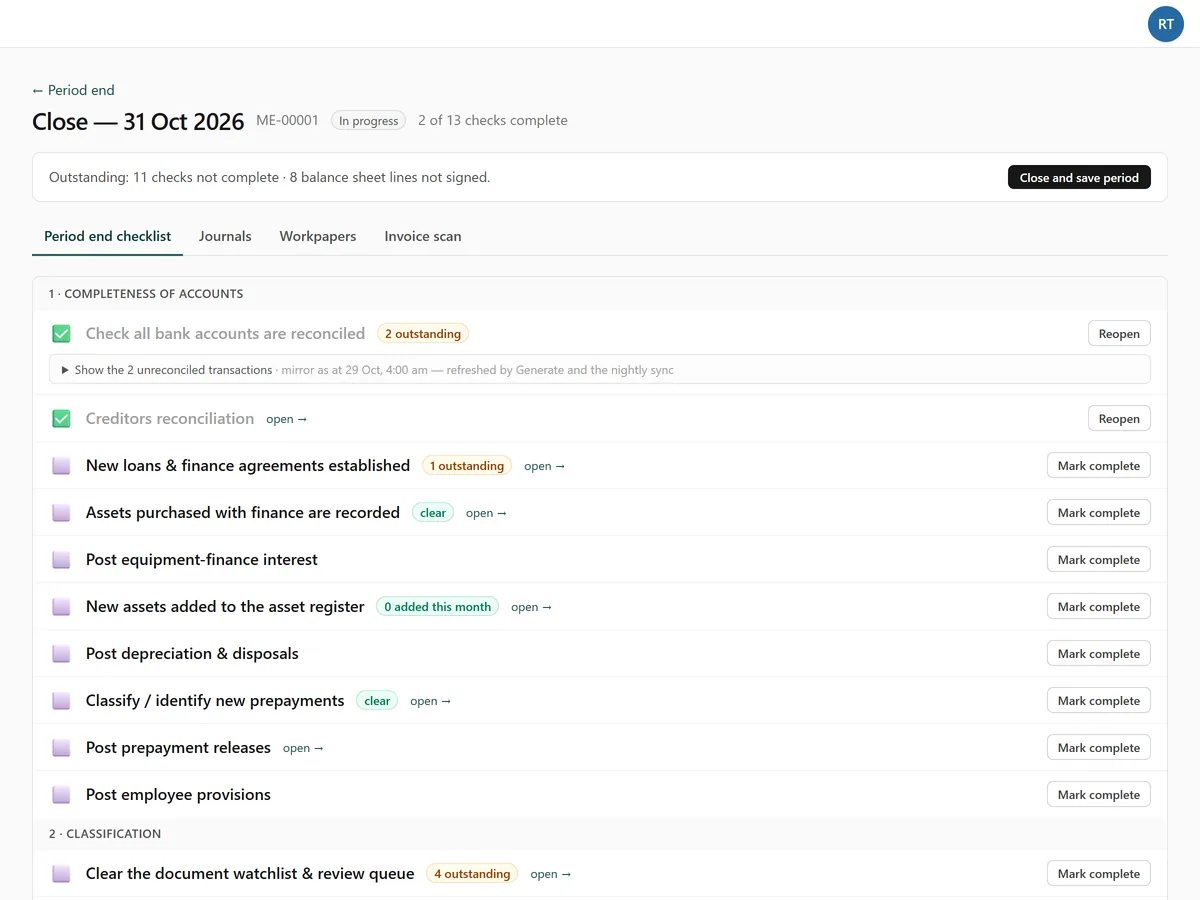
A period-end checklist, the standing journals, and a workpaper for every balance sheet line, signed, evidenced and bound into one pack.

More →

Financial Reporting

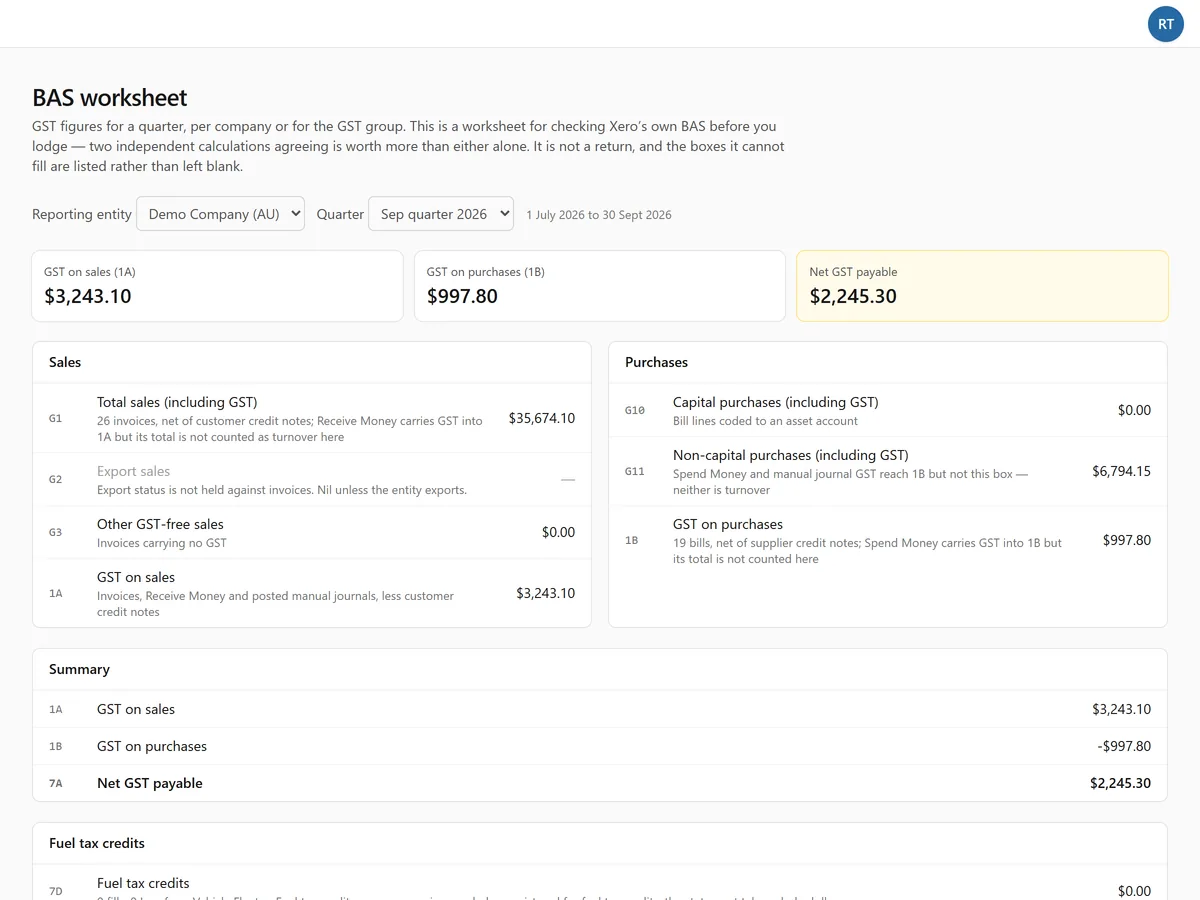
Monthly reports with comparisons, a month-end pack, the financial statements, consolidated accounts and the BAS worksheet.

More →

Organisation Structure

Entities, officeholders, share registers and trusts, drawn as the group diagram.

Workforce

People, roster, unavailability and timesheets with an approver.

Transport

Vehicles, registration, servicing, fuel cards and the fuel tax credit claim.

What it looks like

Every screen below is the demonstration client, Riverton Site Services, with its own documents and its Xero demo file.
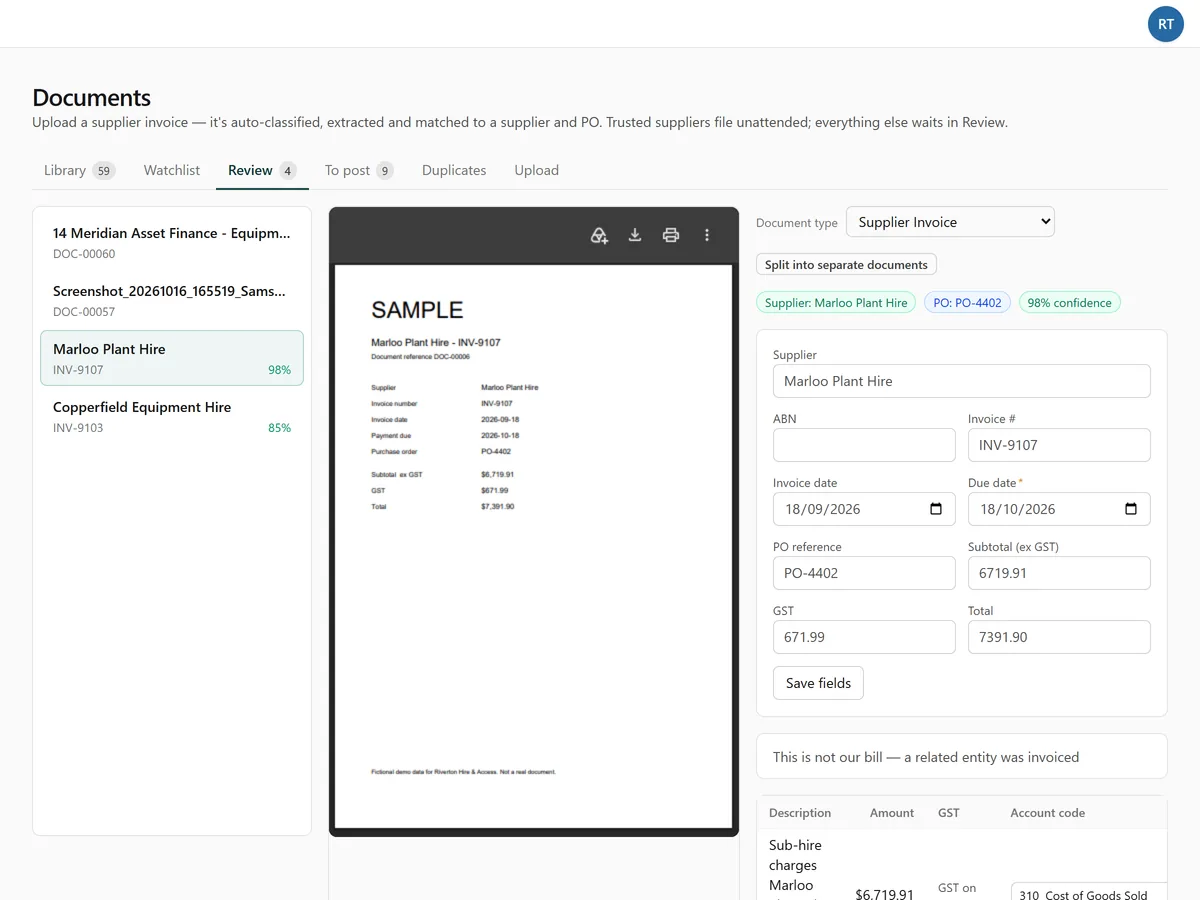
The Document Manager review queue - a supplier invoice beside the figures read from it, with the supplier, the account and a button to post the bill to Xero.
Review. The invoice, what was read from it, and one button to post the bill to Xero.
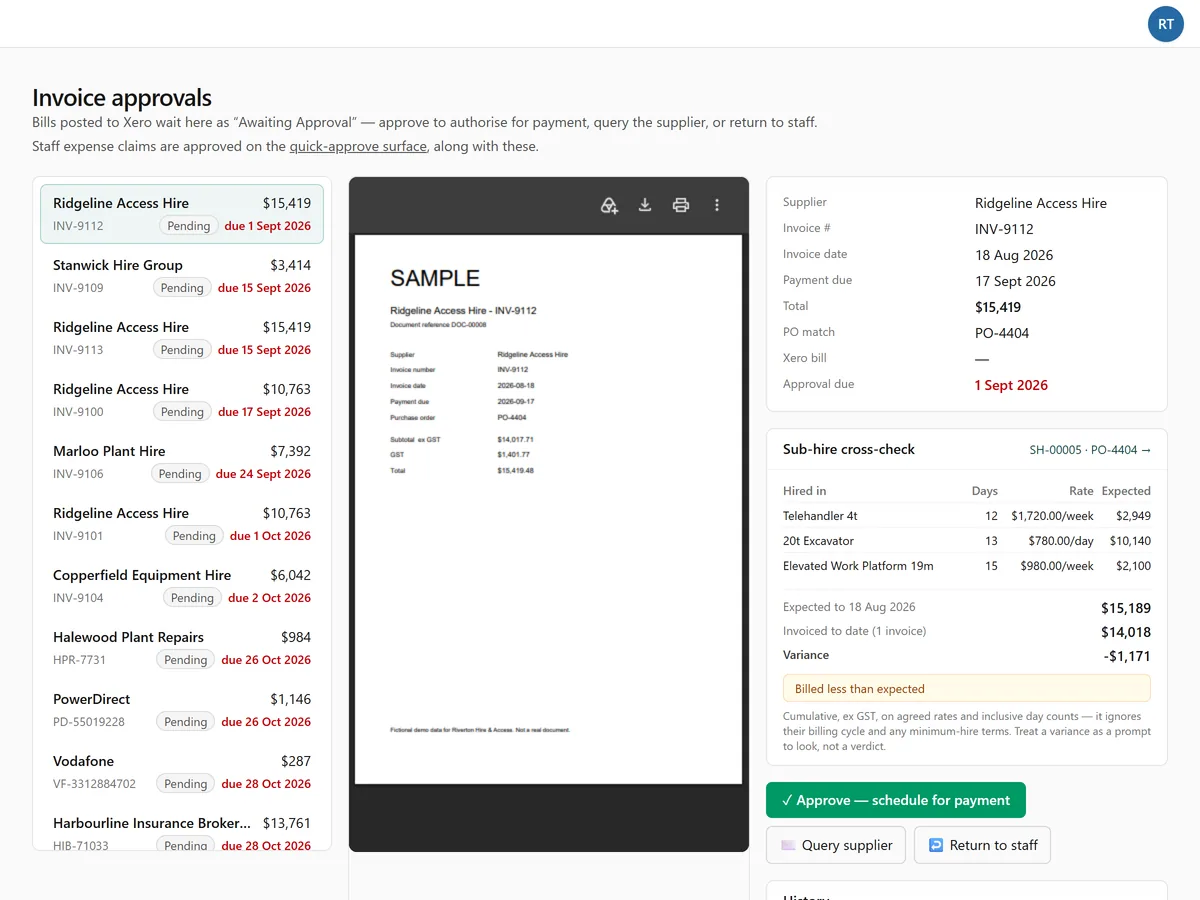
Invoice approvals - bills awaiting approval listed beside the document, with the sub-hire cross-check comparing what was invoiced to what was agreed.
Approvals. Bills wait in Xero as awaiting approval; approve, query the supplier or return to staff from here.
The period-end checklist for October 2026 - bank reconciliations, creditors, finance agreements, prepayments and provisions, each with its status.
Period end. A checklist that reads its own state - a check ticks itself when the data says so.
The prepayments register - each prepayment with opening, additions, released and closing figures for the month.
Prepayments. Built from the insurance invoices themselves; the month's release is what the journal posts.
A finance contract - terms, cost of finance, the funded assets and the amortisation schedule.
Equipment finance. The agreement read from the lender's pack, with its full schedule and the assets it funded.
The insurance register - policies with their cover periods, premiums broken into levies and fees, and the vehicles each one covers.
Insurance. Policies and endorsements read from the broker's invoices, with the days left to run.
The BAS worksheet - GST on sales and purchases for the quarter, box by box, with where each figure came from.
BAS worksheet. Every box with its source, so Xero's own activity statement can be checked before lodging.
Workpapers. Every balance sheet line, the schedule behind it, and whether it has been signed off - the file that moves with the business.
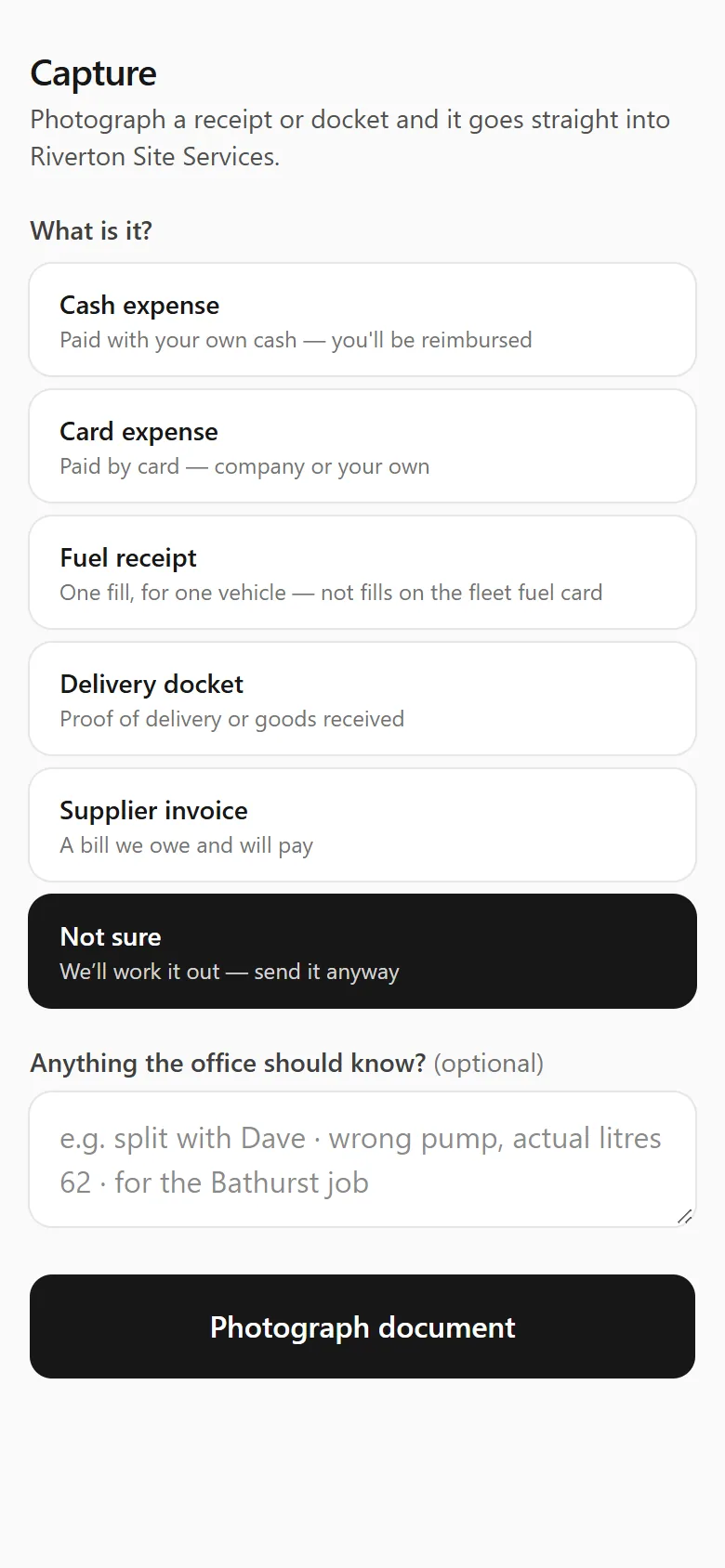
The phone capture screen - choose what the receipt is, add a note, photograph it.
On a phone. Photograph a receipt in the yard; it files itself, offline or not.
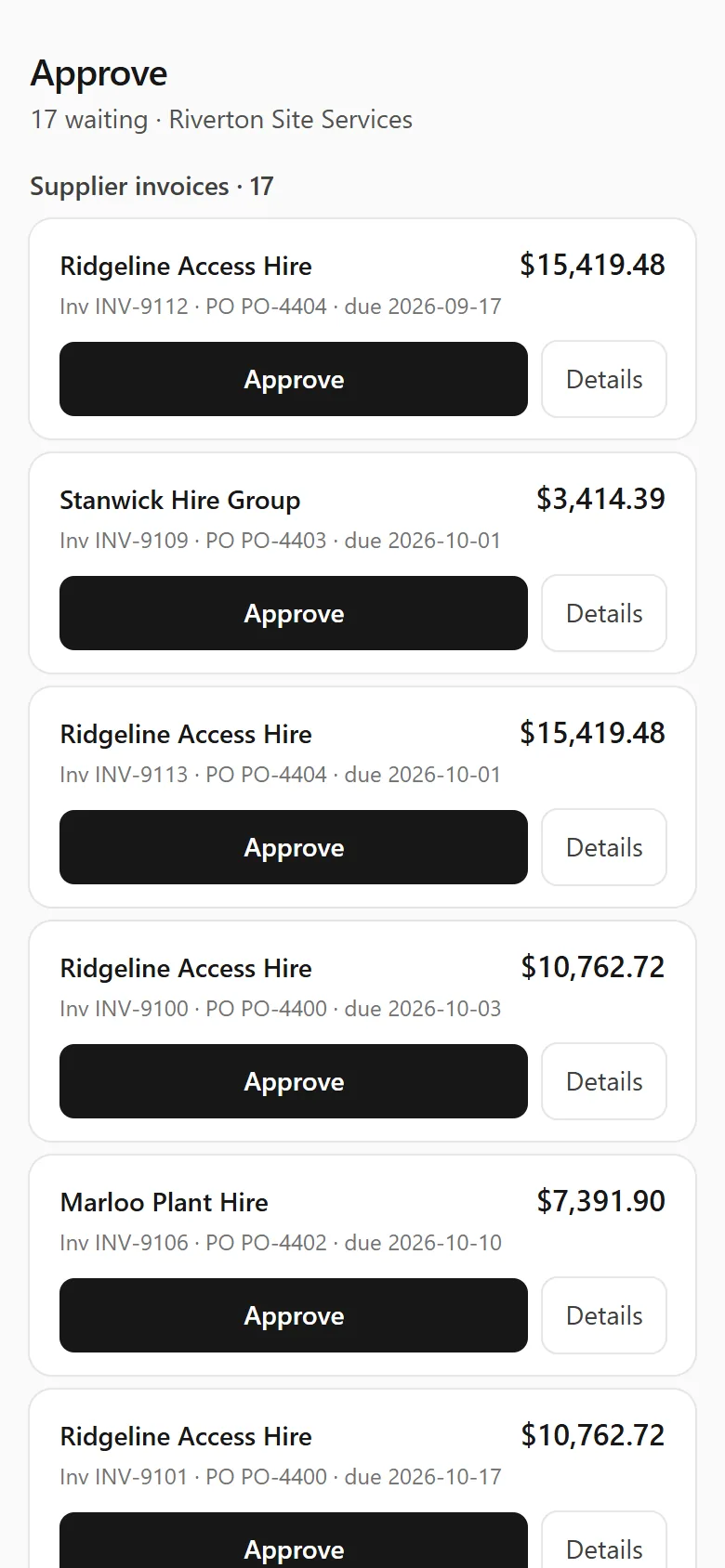
The phone approval screen - supplier invoices waiting, each with an Approve button and a Details link.
Approve from anywhere. The bills waiting for an approver, one tap each, on a phone.